← All solutions

Startups

Set it up this afternoon. Forget it until the rebrand.

Links are trivial right up to the moment they are load-bearing: the app store links in onboarding, the code on the sticker, the docs URL that has moved twice this year.

What this is for

Four situations, and what happens in each.

  1. 01

    A domain that looks like you own it

    go.yourcompany.com, not a shared shortener nobody recognises. 2 DNS records, and it is the cheapest thing you can do to make a small company look deliberate.

  2. 02

    Links made by code

    Create links automatically. The release link comes from the deploy that ships it, the email link from the job that sends it. Same endpoints the dashboard uses.

  3. 03

    A free tier with no timer

    25 links, no card, no timer. Outgrow it and everything you already made keeps working. You just cannot add more until you upgrade.

Two moments from an afternoon

Setup, then the first link that matters.

01Thursday, after standup

You point a subdomain at it

A CNAME and a TXT record at whoever holds your DNS. The certificate is not your problem, then or in a year.

Paste the 2 records and watch it go from verifying to live.

fixed.link/dashboard/domains
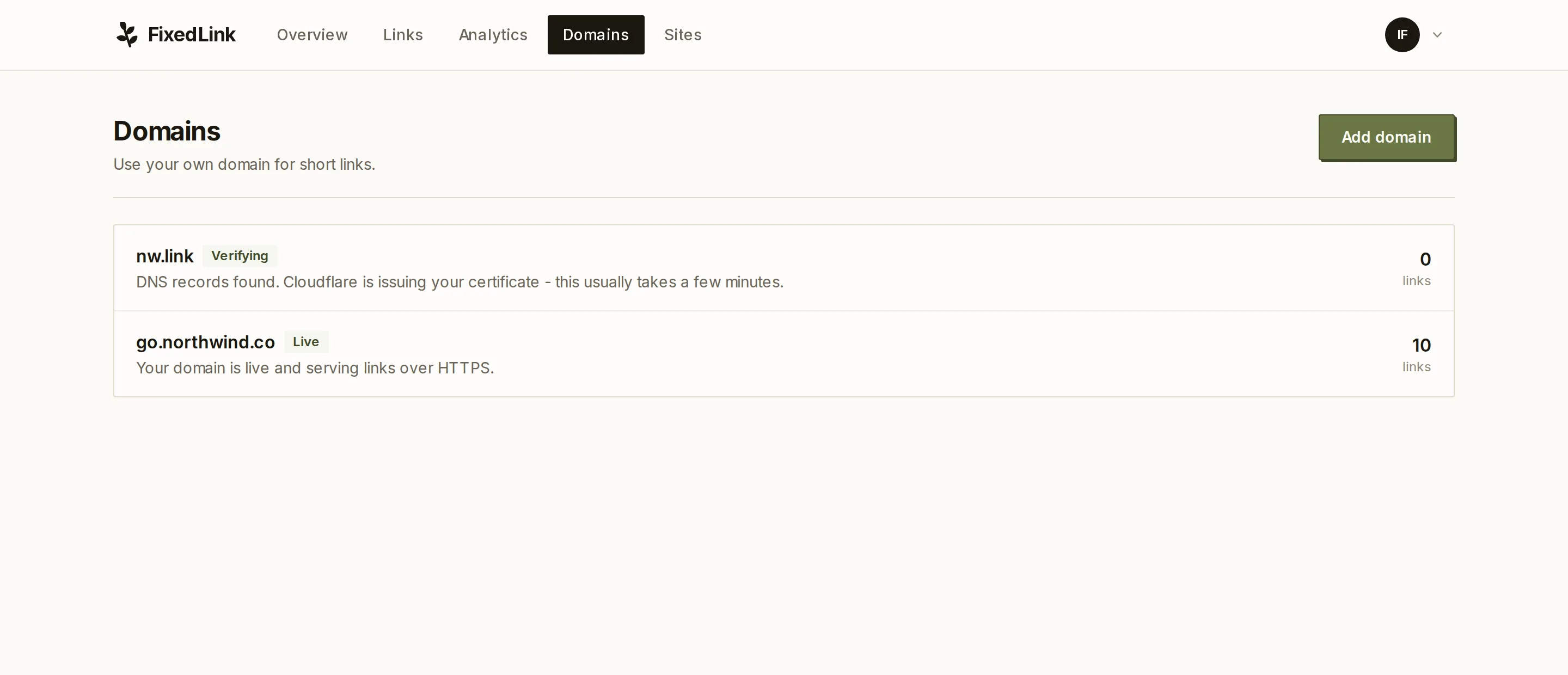
The domains page with one domain live and one still verifying

02Ten minutes later

The first link, and what it will look like

The onboarding email needs a link to the docs, and half the people who get it will paste it into Slack.

Destination, domain, slug. The card it will unfurl with is read off the destination while you are still typing, so you find out now rather than from a support ticket.

fixed.link/dashboard/links/new

What it costs

The domain takes ten minutes. The rest is one API call.

Free while you are small. Pro when you want the domain and the API, at a flat price with no per-seat arithmetic.