Browser extension
Short links, without leaving the page
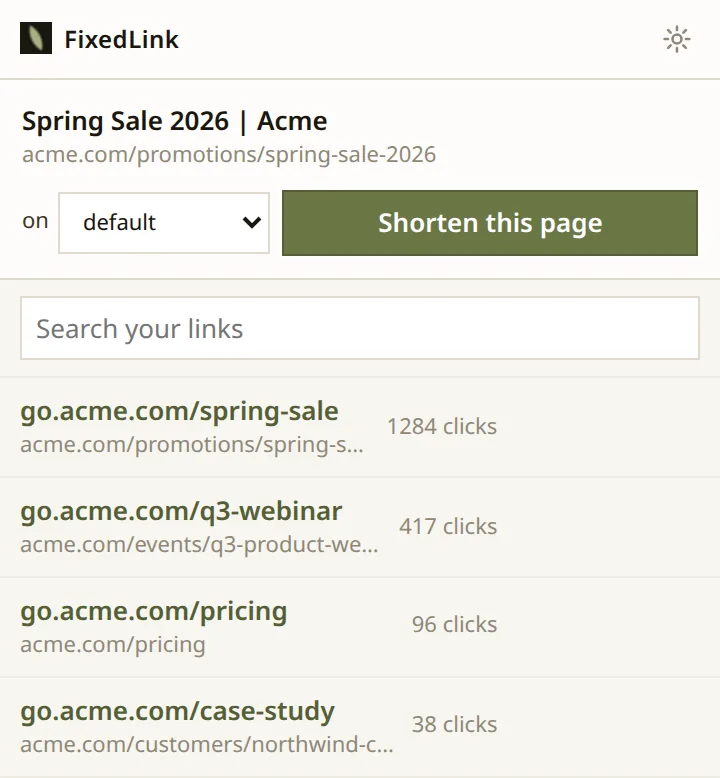
Click once and the page you are on becomes a short link on your own domain. Copy it, share it, or grab the QR code.
Free with your FixedLink account. No extra charge.
One click
Everything the new link needs, on one screen
Pick which of your domains it goes on, press the button, and the link is made. No tab to switch to and no form to fill in.
- Copy
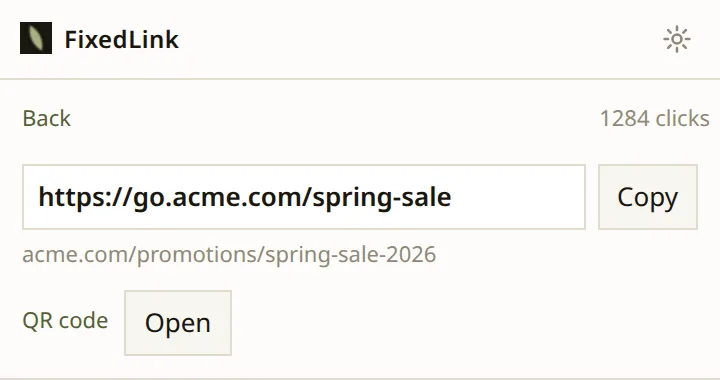
- The short URL, selected and ready to paste.
- Share
- The system share sheet, where the browser has one.
- Open
- Follow it, to check it goes where you meant.
- Clicks
- How the link is doing, from the moment it exists.
QR codes
A code for anything you print
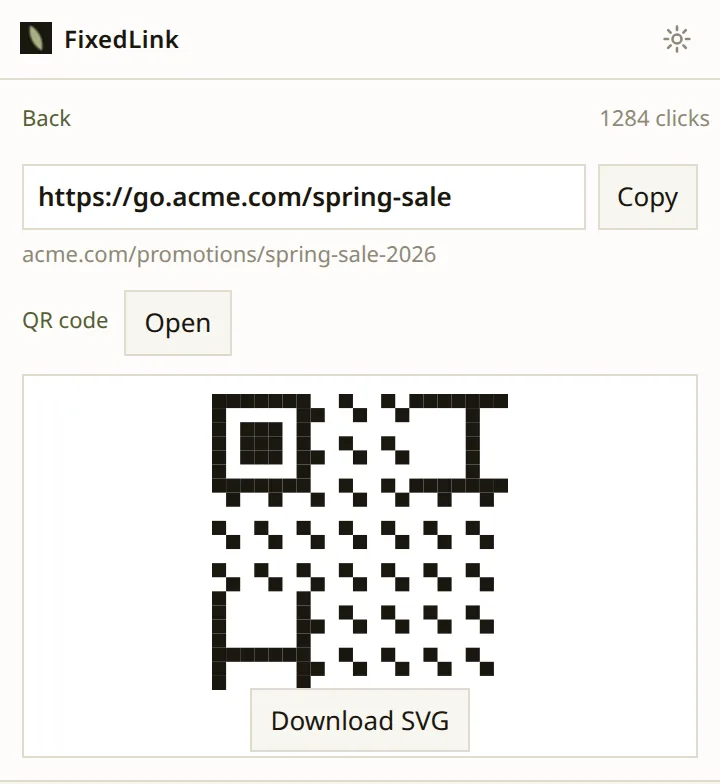
Every link has one. Download it as an SVG so it stays sharp on a poster, a business card or a pull-up banner.
The code encodes the short link rather than the destination, so the poster keeps working after you have changed where it goes.
Your links
See what is working, without the dashboard
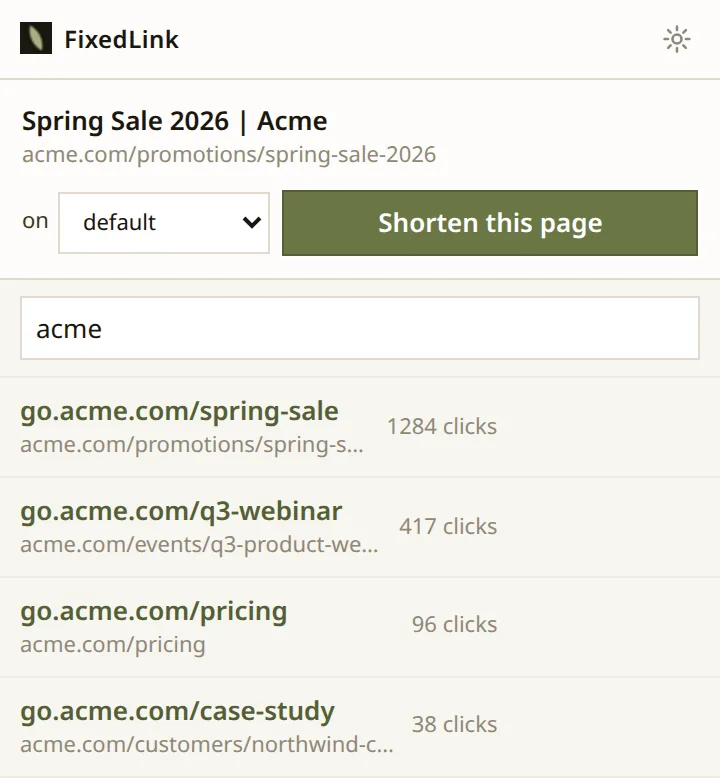
The links you made recently are in the popup, with their clicks. Search them by slug or by where they point.
While you write
Shorten a link where you are already typing
Paste a long URL into Gmail, Outlook, X or LinkedIn and a small button appears next to it. Click it and the link gets shorter, in place.
Pasting is what triggers it, not typing. Nothing watches the keys you press, and the button only ever appears next to a URL you put there yourself.
There is no picture of this one. It happens inside somebody else’s compose window, and a mocked-up screenshot of Gmail would be the only image on this site that is not a photograph of the product.
Why shorten
Because you can change your mind afterwards
A short link is the only kind you can repoint once it has been sent. The campaign ships, the landing page moves, and the link in the email still works.
A normal URL cannot do that. That is the whole reason to make one.
Privacy
What it can see
The address of the tab you are on, and only when you ask. It does not watch your browsing. There is no tracking in it and no third party.
Your sign-in stays on your machine. The token lives in the background worker and never enters a page, which is what makes the inline button safe to run inside Gmail.
Get it
Add it to your browser
You need a FixedLink account on a plan with API access. Sign in from the extension and approve it once.